Sales engine
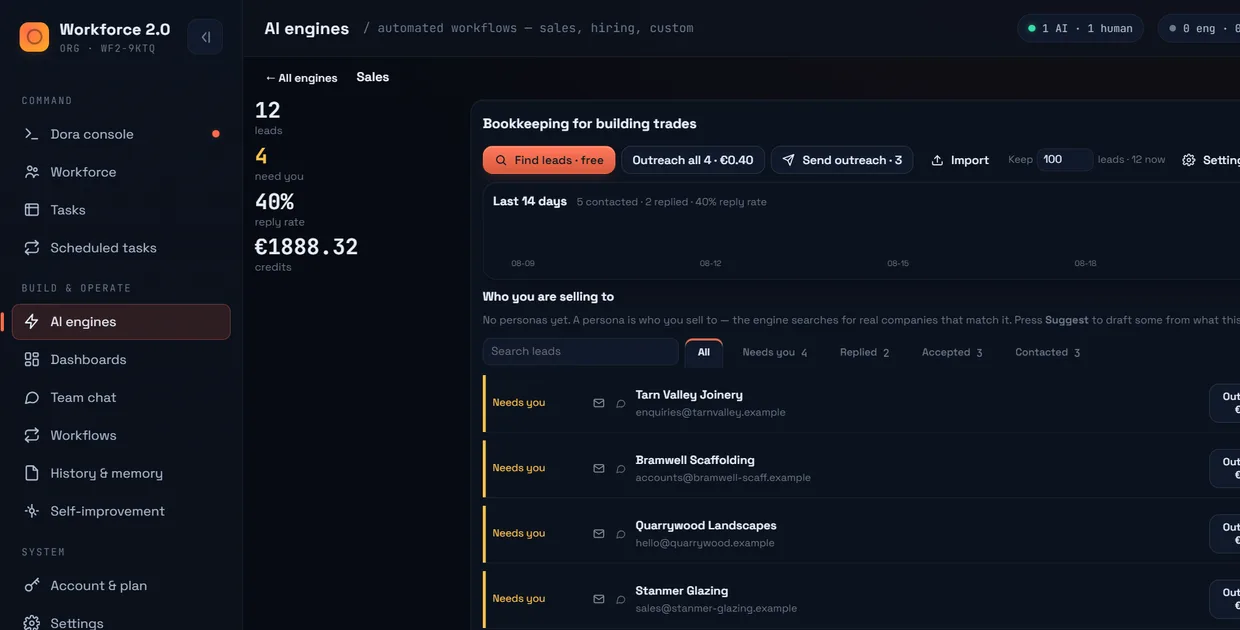
It finds the leads itself. You approve who gets contacted.
A full outbound run: find companies like the customers you already have, check the contact details are real, write the outreach, and chase the follow-ups.
Finding costs nothing. You pay €0.10 for each lead you decide to keep, after you have seen it.
How does it find prospects?
It drives a real web browser over search and Google Maps, city by city, the way you would. No AI is asked to invent a company or a website. Everything it brings back is somewhere you can go and look at.
- You describe the kind of customer you want. It works from the ones you already have.
- It works through a list of cities, because businesses are geographic and one search never finds them all.
- When a site asks it to prove it is human, a window opens so you can click it rather than the run failing quietly and pretending it found nothing.
How do I know the leads are real?
Three checks run before a lead reaches you, and anything that fails is dropped before you are charged for it.
- Does it fit? Each company is scored against the kind of customer you described.
- Is the address real? It checks the domain actually accepts mail, so a lead with a dead mailbox never counts.
- Is it a person? It drops
info@,sales@and made-up addresses at the point of collection.
Why this matters to the bill
You are charged per lead you keep. Filtering junk before you see it is the difference between paying for 40 useful companies and paying for 200 rows you then have to weed.
Can it reach people who only have a phone number?
Yes, over WhatsApp. It tidies the number into the international format WhatsApp opens straight away, so a cold number can be messaged without you first saving it as a contact.
What stops it contacting someone who opted out?
One do-not-contact list, shared across every product you sell. It never expires. It covers every address and number that person has, so somebody who opted out by email cannot then be reached on WhatsApp.
- It is checked at the moment of sending, not when the message was scheduled. A follow-up queued last week still gets stopped today.
- Every outbound message goes through the same single check. There is no second path around it.
How do I know a message actually sent?
It checks the message box actually emptied before it reports success. If the send silently failed, it says so instead of marking the lead contacted.
From a comment in the code, not marketing copy:
“A click that did nothing leaves the text in the box. Reporting ‘sent’ then would be a lie.”
Does it write like me?
It compares its draft against what you actually sent, and learns the difference. Edit the opening line every time and it stops writing that opening line.
One detail that keeps it honest
Messages it sent on its own are left out of that learning. Training on its own output would just teach it its own habits and drift further from you every week.
I already have a list
Import it by spreadsheet or paste it in. The same checks and the same do-not-contact list apply to imported leads, so a stale list gets cleaned on the way in.
What it does not do
It does not watch your inbox for replies. There is no reply rate, and nobody is automatically added to the do-not-contact list because they replied asking to be. You mark those yourself.
We would rather say so here than let you find out by assuming a reply was handled. Everything else it does not do →
What does it cost?
Finding companies is free. €0.10 for each lead you keep. Writing and sending are free. A two-person consultancy doing outbound spends around €12 a month.
Questions
Do I have to approve every message?
That is your choice. You can approve each one, approve a batch, or set the engine to send without asking once you trust it. Sending always starts locked. How approvals work →
How many leads can it find?
It keeps working through your city list, topping the list up every ten minutes while a campaign is running. The practical limit is how many you want to look through, not how many it can reach.
Will it get my domain blacklisted?
It sends from your own connected mailbox at a human pace, checks each address is real before using it, and never contacts anyone on the do-not-contact list. It cannot stop you writing something people report, which is why the drafts come to you first.
Can two people in the company run it at once?
Yes, and the do-not-contact list is shared, so one person's opt-out protects everyone else's campaigns too. How teams share →