Voice and meetings
Talk to it. Cut in when you need to.
There is nothing to learn. Say what you want in ordinary words, and interrupt it mid-sentence if it heads the wrong way.
Is this dictation with a chatbot behind it?
No. It is a real two-way conversation, and you can cut in mid-sentence the way you would with a person. Your speech is not being converted to text and posted into a chat window.
The difference shows up the first time it starts explaining something you already know. With dictation you wait. Here you talk over it and it stops.
What can I get done just by talking?
Speaking is not a separate, lesser mode. It reaches the whole workforce.
- Hand work to the whole team. Say what you need and it gets planned and assigned.
- Tell it something to remember, and it keeps it.
- Ask what everyone is working on, and it reads the state of play back to you.
- Have it draw you a diagram on screen while you are still talking.
For anyone who avoids new software, this is the whole product. There is no interface to master because you are just describing what you want.
Does it know what I typed earlier?
Yes. Voice and typing share one memory and one context. You can start a thing by talking on the way to work and finish it by typing at your desk.
It also reads your next seven days, so it knows what your week looks like without being told.
Meetings
Can it sit in on my meetings?
It records the room through your computer's microphone while you sit in the meeting. It does not join the call itself and it has no microphone of its own, so you have to be in the room with it.
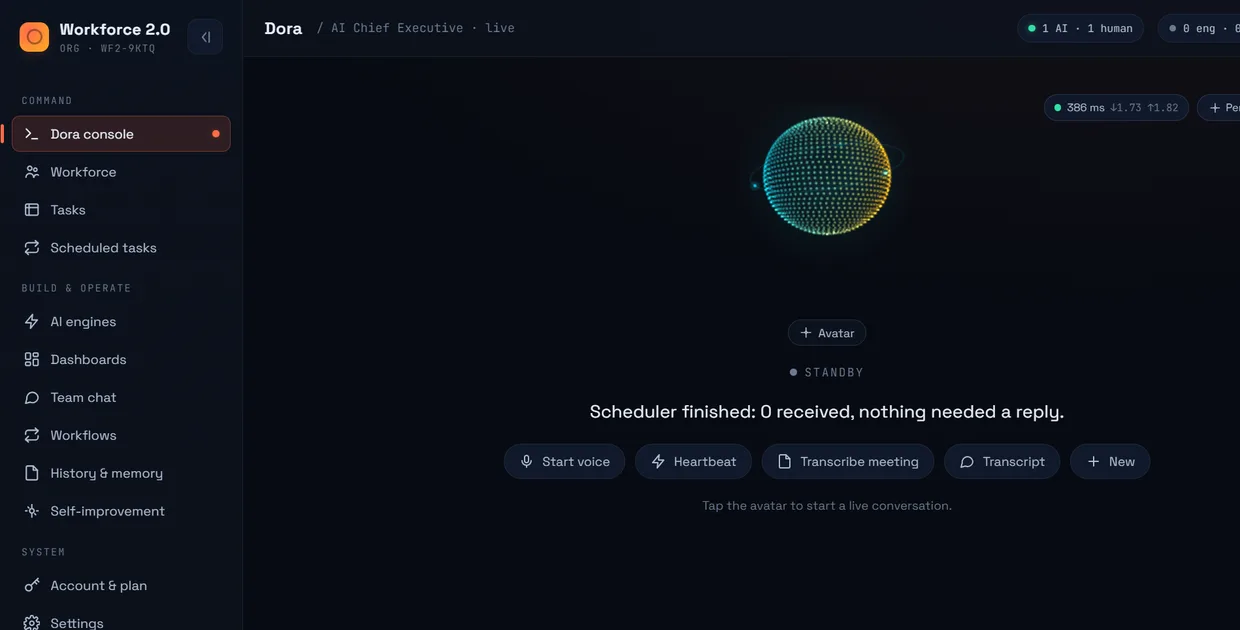
Press Transcribe meeting on the console and put the laptop where it can hear the table. When you stop, the transcript is filed against the calendar entry it belongs to.
Will it interrupt, or act on what it hears?
No, to both. While it is recording it is listen-only: it never speaks, and nothing said in the room can start a job. Somebody saying “email that over” in a meeting does not send an email.
That is enforced in the code rather than asked of the model, which is the right way round for something sitting on a table with your clients.
What do I get afterwards?
The transcript, written into your notes folder as a plain Markdown file with the actions pulled out of it. It joins everything else the system knows, so a decision made in a call in March is searchable in November.
This is where meetings stop evaporating. How the memory works →
The limits, stated plainly
The meeting side is a recorder, not a participant. Better you know that now than find out on a call.
- It cannot join a call on its own. You are in the meeting; it listens alongside you.
- It never speaks in the meeting. There is no bot in the participant list.
- It hears whatever your microphone hears, so a room mic beats a headset.
- Read-aloud voices are Windows only, in six languages: English, French, German, Portuguese, Italian and Spanish.