How it works
Three levels, and the top one has no hands.
You talk to an assistant. It passes the big things to a chief executive that plans them. The plan goes to workers who do the job with real tools.
Who decides what gets done?
The assistant takes your request and handles the small things itself. Bigger things go upstairs to be planned. The planning and the doing are separate jobs held by separate parts of the system.
You talk to
The assistant
Routes everything. Answers the quick things on the spot, hands the rest up, and tells you what came back.
Which plans
The chief executive
Turns your ask into a plan, picks who does what, and checks the results. Delegation only.
Which does the work
The workers
Each gets only the apps you allowed it. Nothing more.
Two comments from the code, not marketing copy:
“CEO never executes.”
“In a real org the CEO does not hand out tasks — the EA does.”
Can the part that plans my work send email?
No. It has no connection to your email, your calendar, your files or your customers. It can spawn workers and write plans, and that is the whole of what it can reach.
This is a property of how the thing is built, not an instruction we gave a model and hope it follows. The difference matters: an instruction can be talked around, and a missing connection cannot.
It is also the answer to the question people actually mean when they ask whether AI is safe to give access to. The part clever enough to decide something reckless is the part with nothing plugged into it.
How much control do I have over each worker?
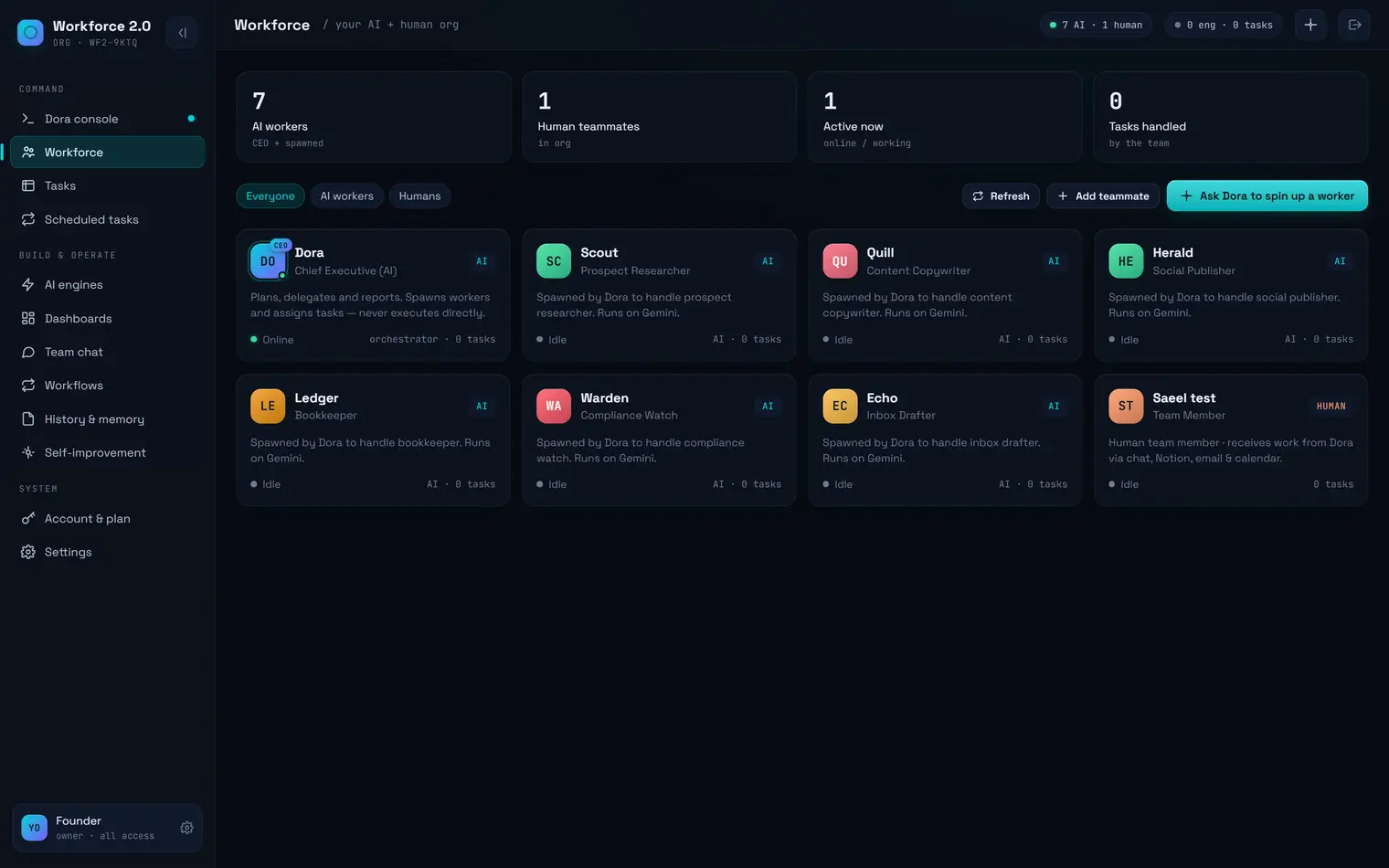
Every worker the chief executive creates is visible and yours to change. Click one and you can retune it or switch it off.
Change its AI
Pin it to a particular quality tier for everything it does, or leave it blank and let the assistant pick by how hard the job is.
Give it skills
Skills help the assistant match the right work to the right worker.
Limit its apps
Restrict which connected apps this worker may use. Leave it on "all" and the assistant decides per task.
Pause it
A paused worker receives no assignments at all.
How do I set how far it can go?
Three settings, and they apply to everything: read only (it looks and reports), draft only (it creates and updates but sends nothing), or send.
The block is enforced by the app, not by asking the AI nicely. A tool it is not allowed to use is refused outright rather than politely declined, which are different things.
Most people run on draft-only for the first week. That is the sensible way to do it. The rest of the safety story →
Which AI does which job?
It is picked per step, not per app. A cheap model sorts and classifies; a strong one writes and judges. That is the mechanism behind routine work costing nothing.
- 105 routing rules covering 42 distinct kinds of task across the main engines.
- Free-tier models are used automatically wherever they are good enough.
- A panel tells you what a job will actually call, and whose key pays for it, before it runs.
We deliberately never tell you which model served a request. You get quality tiers, so we can change what is underneath when something better arrives without changing what you bought.
What are skills?
Eighty of them, built in. Each one is a piece of professional judgement written down and dropped into the right job: how to write a cold email, how to screen a candidate, how to handle a sensitive message.
Cold outreach
What makes a first email get answered rather than deleted.
Candidate screening
What to weigh, and what to ignore.
Reconciliation
How to match what was paid against what was invoiced.
Sensitive replies
How to answer someone who is upset without making it worse.
Skills are the reason the output does not read like generic AI text. You can edit any of them, and your edit survives an app update.
Can I see what it's doing?
Yes. Work in flight appears as tasks you can open, not as a spinner.
- The console — where you type or talk.
- The task board — everything in flight, and what it is waiting on.
- Team chat — a place to talk to a worker directly.
- The routing panel — what a job will call, and on whose key.